

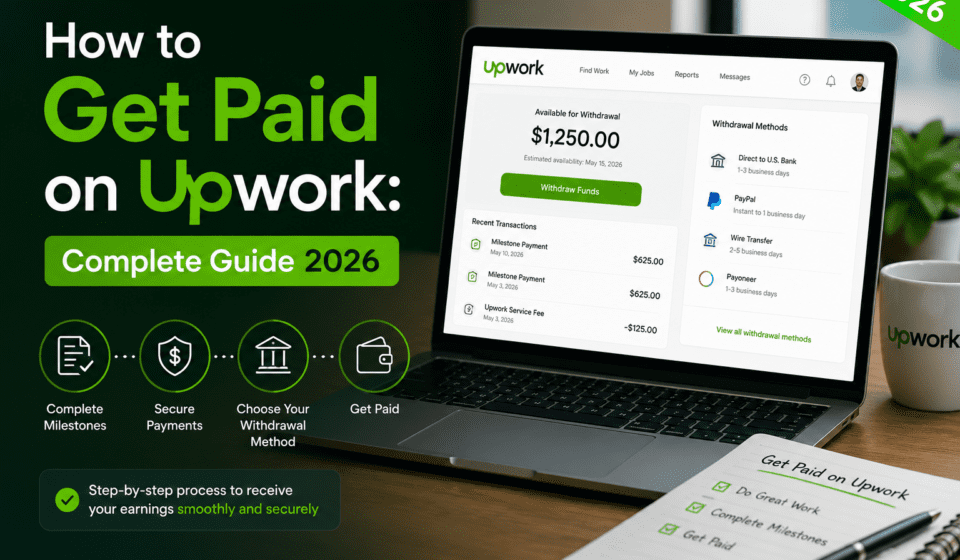

If you are new to Upwork or just trying to figure out how the payment system works, you are in the right place. Getting paid on Upwork is not complicated once you understand the basics, but there are a few things you need to know before you start working with clients.
I have been using Upwork for years and in this guide I will walk you through everything — from setting up your account to withdrawing your money and managing your freelance income like a professional.
What Is Upwork and Why Do Millions of Freelancers Use It?
Upwork is one of the largest freelancing platforms in the world. It connects businesses and individuals with skilled freelancers across hundreds of categories including writing, design, development, marketing, finance, and more.
What makes Upwork different from other platforms is the level of protection it offers both freelancers and clients. The payment system is built around security and transparency, which is why so many professional freelancers trust it as their primary source of income.
Setting Up Your Upwork Account for Payments
Before you can receive any payment on Upwork, you need to complete a few important steps.
Step 1: Verify your identity Upwork requires identity verification before you can withdraw earnings. You will need to upload a valid government-issued ID such as a passport or national ID card. This process usually takes between 24 and 48 hours.
Step 2: Add a payment method Go to Settings, then click on Get Paid. From there you can add your preferred withdrawal method. We will cover all the available options in detail below.
Step 3: Set your billing currency Upwork operates in US dollars. All earnings are displayed and processed in USD regardless of your location. When you withdraw, the conversion to your local currency happens through your chosen payment method.
How Upwork Payments Work
Upwork uses two main contract types and each has a different payment structure.
Hourly Contracts With hourly contracts, you log your hours using the Upwork Desktop App. The app takes automatic screenshots of your screen at random intervals to verify your work. Your client is billed every Monday for the hours you logged the previous week. The funds are released to you after a five-day security period.
Fixed-Price Contracts With fixed-price contracts, the client deposits the agreed amount into Upwork escrow before you start working. Once you submit your work and the client approves it, the funds are released. If the client does not respond within 14 days of your submission, the payment is automatically released to you.
The Security Period Every payment on Upwork goes through a five-day security period before you can withdraw it. This is designed to protect both freelancers and clients. Once the security period ends, the funds appear in your available balance and you can withdraw them at any time.
Upwork Fees: How Much Do They Take?
This is one of the most important things to understand before you start working on Upwork. The platform charges a service fee on your earnings, and the fee structure changed in 2023.
As of 2026, Upwork charges a flat 10% service fee on all earnings regardless of how much you have billed a client. This means for every $100 you earn, Upwork keeps $10 and you receive $90.
While 10% might seem significant, consider what Upwork provides in return: client acquisition, payment protection, dispute resolution, and a professional reputation system. For many freelancers, this is well worth the cost.
Withdrawal Methods on Upwork
Upwork offers several ways to withdraw your earnings. Here is a breakdown of each option:
Direct to Local Bank (ACH for US / Local Funds Transfer for others) This is the most popular option for most freelancers. Upwork transfers funds directly to your bank account in your local currency. Processing time is typically 3 to 5 business days. There is no fee for this method if you meet the minimum withdrawal amount.
Wire Transfer Wire transfers are available for freelancers who want to receive large amounts directly to their bank. The fee is $30 per transfer, so this option makes more sense for larger withdrawals.
PayPal PayPal is a fast and convenient option. Transfers usually arrive within 1 business day. However, PayPal charges its own conversion fees when receiving in a currency different from your account currency.
Payoneer Payoneer is a popular choice for freelancers in countries where direct bank transfers are not available or are slow. Transfers typically arrive within 2 hours to 1 business day.
Instant Pay (US freelancers only) US-based freelancers can use Instant Pay to transfer earnings immediately to a Visa debit card for a small fee per transfer.
Tips to Earn More and Get Paid Faster on Upwork
Build your profile completely A complete profile with a professional photo, detailed work history, and strong portfolio samples gets significantly more views than an incomplete one. Clients make decisions quickly, so your profile needs to make a strong first impression.
Start with competitive rates When you are new to Upwork, your first priority is building reviews. Consider pricing your services slightly below your target rate to win those first few contracts. Once you have five or more positive reviews, you can start raising your rates.
Communicate clearly and deliver early The fastest way to build a strong Upwork reputation is to deliver quality work before the deadline and communicate proactively. Clients remember freelancers who make their lives easier.
Request feedback after every contract Reviews are your currency on Upwork. After completing a contract, always ask your client to leave a review. A simple message like “I really enjoyed working with you on this project — if you have a moment, a review would mean a lot” works well.
Keep your response rate high Upwork tracks how quickly you respond to messages and proposals. A high response rate improves your visibility in search results. Try to respond to all messages within 24 hours.
Taking Your Freelance Business to the Next Level
Once you start getting consistent work on Upwork, you will notice something interesting. Your best clients will want to work with you long term. They will ask if they can hire you directly, outside of Upwork, to avoid the platform fees.
This is a natural evolution of a successful freelance career. But moving client relationships off-platform comes with its own challenges. You need professional contracts, a reliable payment system, and a way to handle compliance if your clients are based in different countries.
This is exactly where Deel becomes essential for serious freelancers.
Deel is a global payments and contracts platform used by thousands of freelancers and remote workers worldwide. Instead of chasing invoices and dealing with complicated international bank transfers, Deel lets you create professional contracts, get paid in your preferred currency, and manage everything from one clean dashboard.
Here is why freelancers who graduate from Upwork love Deel:
- You can get paid via bank transfer, PayPal, Payoneer, Coinbase, and more
- Contracts are legally compliant in over 150 countries
- Payments are fast and transparent
- The platform handles tax documents automatically
- It looks professional to your clients, which builds trust
If you are serious about building a sustainable freelance business beyond Upwork, setting up a Deel account is one of the smartest moves you can make. It costs nothing to get started and positions you as a true professional in the eyes of your clients.
👉 Sign up for Deel here and get your first month free
Common Questions About Getting Paid on Upwork
How long does it take to receive payment on Upwork? After a client approves your work, there is a five-day security period. After that, you can withdraw immediately. Bank transfers typically take 3 to 5 additional business days depending on your location.
What is the minimum withdrawal amount on Upwork? The minimum withdrawal amount varies by payment method. For most bank transfers it is $1. For wire transfers the minimum is $100.
Can I use Upwork from any country? Upwork is available in most countries around the world. However, due to international sanctions, it is not available in a small number of countries. Check the Upwork help center for the most current list of supported countries.
What happens if a client does not pay? For hourly contracts, Upwork’s payment protection guarantees you will be paid for all tracked hours as long as you used the Upwork Desktop App. For fixed-price contracts, funds are held in escrow before work begins, so you are protected as long as the client funded the milestone.
Can I have multiple payment methods on Upwork? Yes. You can add multiple payment methods and choose which one to use for each withdrawal.
Final Thoughts
Getting paid on Upwork is straightforward once you understand how the system works. The platform offers solid payment protection, multiple withdrawal options, and a clear fee structure that makes it one of the most reliable places to build a freelance career.
As you grow your client base and start working with long-term clients outside of Upwork, remember that having a professional payment and contract system in place is what separates casual freelancers from serious business owners. Tools like Deel make that transition smooth and professional.
Start where you are, build your reputation on Upwork, and when you are ready to scale, make sure you have the right tools behind you.